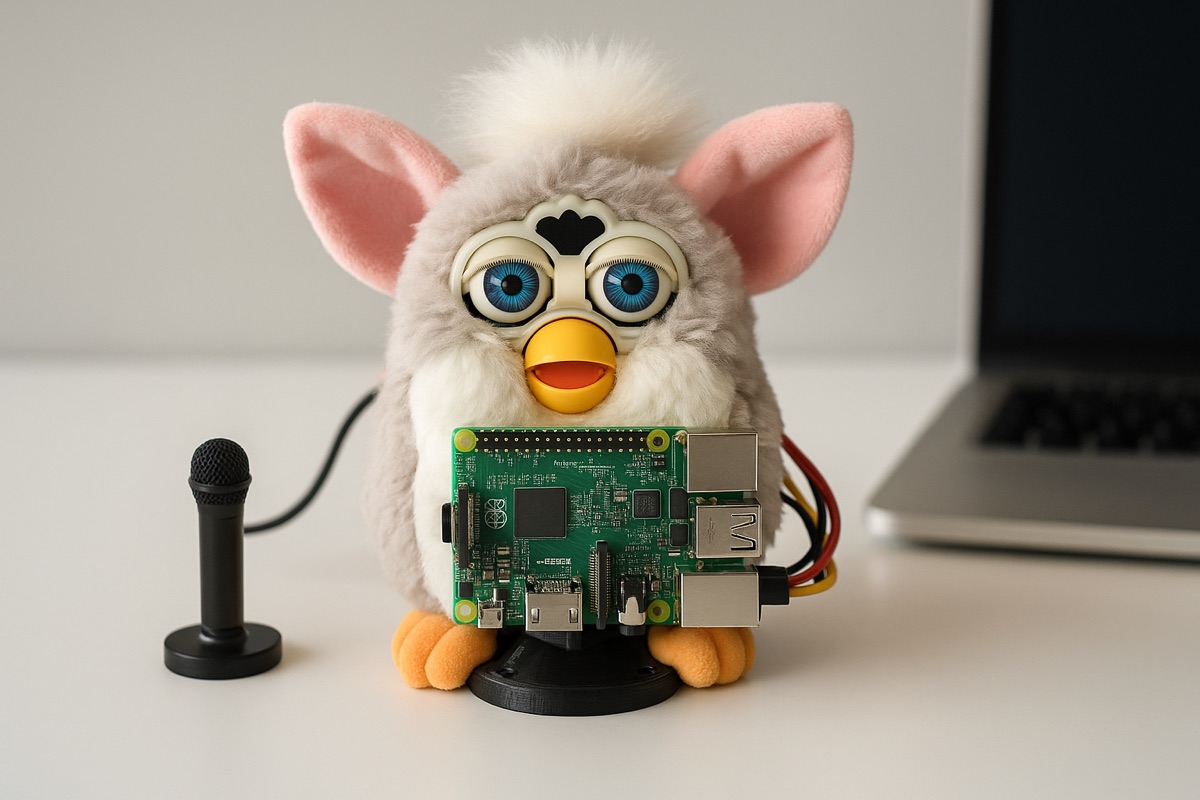
Furby-GPT
Turning a 1998 Furby into an AI-powered interactive desktop assistant. Runs on a Raspberry Pi W for natural language processing with OpenAI and Google Speech, motor control for animation, and voice recognition via Picovoice.
What is it?
A 1998 Furby turned into an AI-powered desktop assistant. On the outside it's still the same 90s plush toy; inside there's a Raspberry Pi W, an audio HAT and a motor driver. You say the wake word, talk to it normally, and it answers with a synthesised voice while moving the way the original did.
Why I built it
Pure nostalgia with a technical excuse. I wanted to see whether a full voice pipeline (wake word, transcription, LLM and speech synthesis) could fit inside a 25-plus-year-old toy without it feeling like a computer in disguise. It was my first serious voice-assistant project and the foundation I later built K-VRC on.
How it works
Hardware
- Furby from the 1998–2000 generation
- Raspberry Pi W with its accessories
- WM8960 Audio HAT for microphone input and audio output
- L298N H-bridge to drive the Furby's original motor
- External speaker (the original works, but sounds pretty bad)
Software
One interaction flows like this:
- Wake-up: Porcupine (Picovoice) listens locally for the keyword, sending no audio anywhere until it detects it.
- Listening: your speech is recorded and transcribed with Whisper or Google Speech-to-Text.
- Reply: the text goes to OpenAI, which generates the answer.
- Voice: the answer is synthesised with Google Cloud Text-to-Speech (ElevenLabs as an option).
- Animation: while the audio plays, the Pi drives the motor through the L298N so the Furby "talks".
To get it running you only need to set up the OpenAI, Google Cloud and Picovoice keys and install the Python dependencies.
Stack
| Layer | Technology |
|---|---|
| Language | Python |
| Wake word | Picovoice Porcupine |
| STT | OpenAI Whisper / Google Speech-to-Text |
| LLM | OpenAI |
| TTS | Google Cloud Text-to-Speech (ElevenLabs optional) |
| Audio | WM8960 Audio HAT |
| Motor | L298N H-bridge |
| License | MIT |
The board inside
The next version of the Furby will carry its own board, the FurbyBoard, screwed to the base of the toy in place of its original electronics. It hasn't been manufactured yet, but you can already see how each part works, with animated signals and a simulated oscilloscope.
Explore the board inside (in Spanish) →
Status
In development. The first version works exactly as shown in the video, and what I learned from it went into K-VRC. Now I'm back on the Furby with the FurbyBoard, its own board that replaces the original electronics and that I'm about to send off for manufacturing. Next steps:
- Manufacture the FurbyBoard and fit it into the Furby.
- Cut the latency between question and answer.
- Give it a more "Furby" voice.
Links
- Repository: https://github.com/Guilleloma/Furby-GPT
- Demo video: https://www.youtube.com/watch?v=fOhkSsQ2j3M
- Interactive simulation: Explore the board inside (in Spanish)